Downwinding with a crew is the best way to do it, and the worst way to keep track of each other. Two minutes after the start everyone is spread across a kilometer of swell, you're on your knees after a fall, and you have no idea if your buddy is ahead of you, behind you, or already on the beach.
The new Downwind with Friends feature fixes that. Every rider in your group shows up as a colored dot with their initials on your Apple Watch map, in real time. And if someone wants to follow along from land — your shuttle driver, your partner, a race organizer — you can send them a live spectator link that opens in any web browser. They don't need the app.
First, draw your line
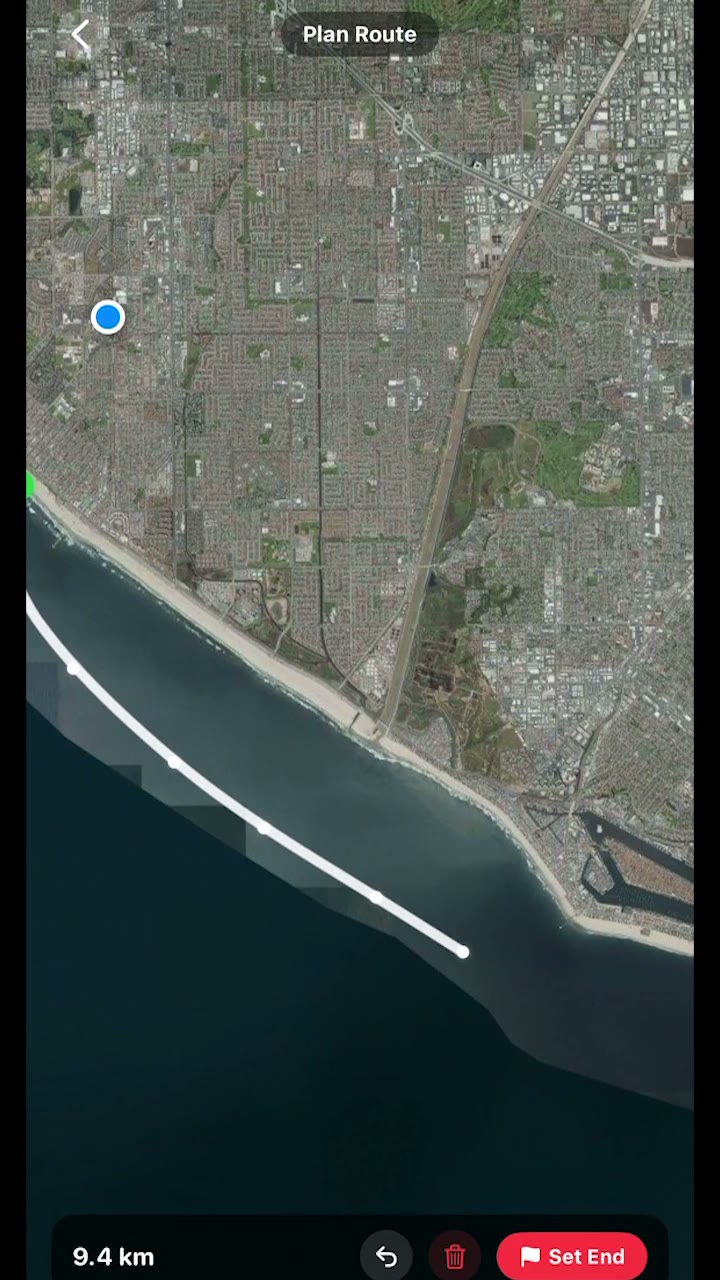
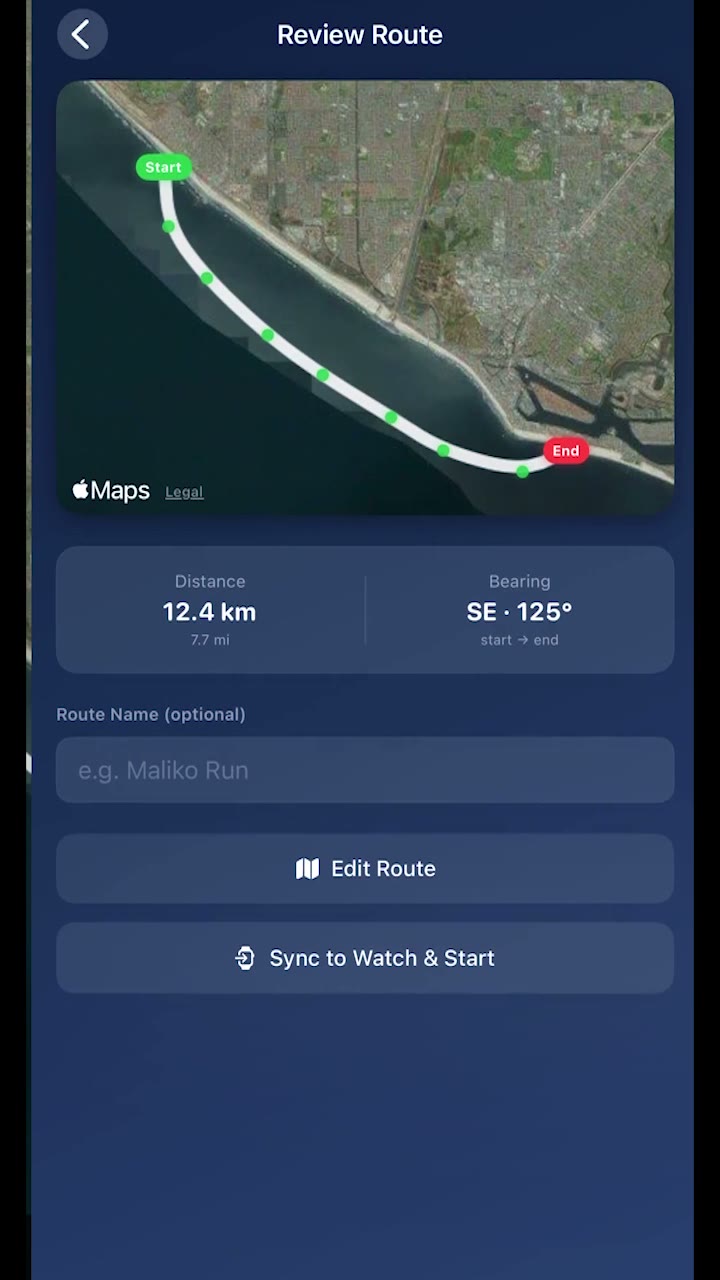
Everything starts with a route. Open the Downwind tab, tap Create Route, and draw your line on the map from where you'll start to where you'll get out. Tap Set End and you'll see the distance and the bearing of the run.
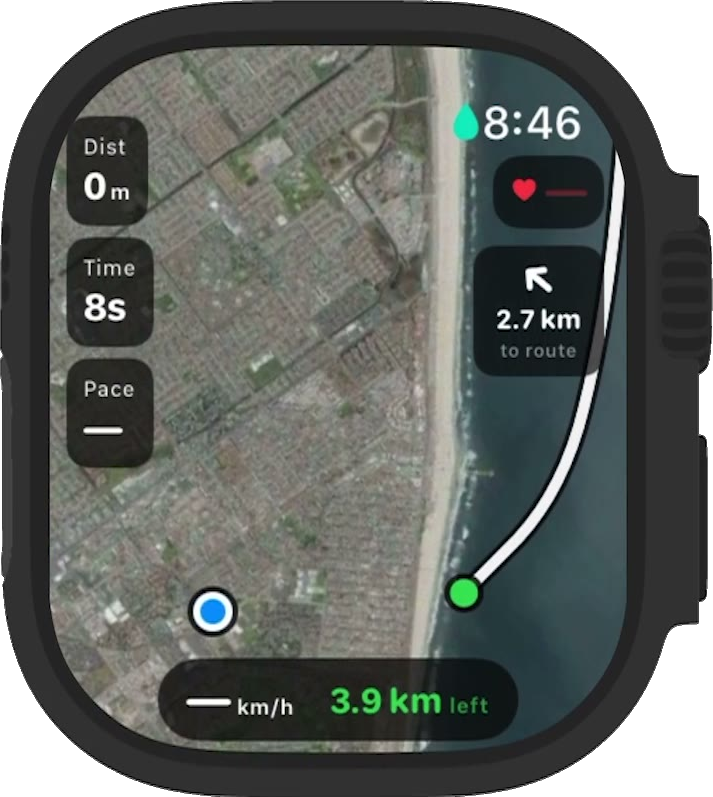
Then hit Sync to Watch & Start. The route and a satellite map go to your Apple Watch, so it works with no cell connection at all. On the water the watch shows your line, where you are, and an arrow pointing back to the route with the distance to it — so if you drift wide chasing a bump, one glance tells you which way to go. It can also buzz when you drift off the route.
How to ride with friends
1. Add your friends in the app
You can only invite people you're already friends with in Endless Waves, so add them first from the Friends tab. Tip: ask them to put their last name in their profile. Two-letter initials are a lot easier to tell apart on a small watch screen than one.
2. Open your route and invite them
On your route, open the Downwind with Friends card and tap Add Friends. Pick who's coming. Each friend gets an invite on their Downwind screen, taps Join, and gets your route too, even if they never drew it themselves. Their status in your list flips from invited to joined.
3. Everyone syncs to their watch and starts
Each rider hits Sync to Watch & Start. You can start the session from the phone or straight from the watch.
4. Keep your phone on you
Your phone does the location sharing, so bring it in a waterproof pouch or a pocket. It sends your position to the group every few seconds and passes everyone else's position to your watch.
5. Look at your wrist
Each friend is a colored dot with their initials on your watch map. If someone is off the edge of the screen, they show up as a pointer on the edge with how far away they are (400 m, 1.2 km). If a rider's phone stops sending for about 30 seconds, their dot goes grey at the last place they were seen. That last spot is exactly what you want if someone went down.
Spectator mode: a link anyone can follow
Not everyone watching is on the water. Your shuttle driver needs to know when to head to the finish. Your family wants to know you're fine. A race organizer wants to see the whole fleet. None of them should have to install an app for that.
Every route you own has its own Live Spectator Link. It works whether you're riding with friends or alone.
1. Open your route and tap Live Spectator Link
It's on the route screen, under the friends card. The share sheet opens, so you can text it, put it in a group chat, or drop it in WhatsApp.
2. They open it in a browser
The link opens a live map on the Endless Waves website, on any phone or computer. No account and no download. Viewers see your route line and every rider in the group as a colored dot, plus each rider's current speed, average speed, and an estimated time to the finish. That's what your shuttle driver needs.
3. Ride with your phone on you
Same rule as riding with friends: the phone sends your position. Before anyone starts, the page says it's waiting for riders. Once you're moving, the dots come alive.
The link stays the same for that route, so for a regular run you can pin it in your crew's group chat once and reuse it every time.
What gets shared, and when
Live positions are only sent while a session is running, and only to that group and the people you gave the spectator link to. We don't store them. Your saved session works the way it always has. When you stop riding, sharing stops.
Where it works today
Downwind with Friends is in beta on iPhone and Apple Watch only for now. Spectators can use anything with a web browser.
The spectator link works even if you're riding alone, so your shuttle driver can follow a solo run too. Seeing friends on your watch obviously needs at least two of you out there, so the best feedback comes from real crews on real runs. If you take your group out with it, let me know how it went, good or bad.
Kevin Dickinson is the founder of Endless Waves, a foil session tracker for Apple Watch and iPhone. Available on the App Store.